
We’ve been in school now for 7 days and the eighth ninth tenth was
cancelled due to excessive rain.
Bummer! Not like I could use the
time to get myself together or anything!
Anyways, to be on the productive side, I decided I’d finally post my
back-to-school, meet-the-teacher, open-house pics.
My teammate and I used several Pinterest and TPT free finds
this year. I’ll link them throughout
this post. Be sure to leave these
fabulous ladies some love!
I must say, this year’s open house went very smoothly and I
felt so stress-free. I know it is
because of this neat open house station system that I found on Pinterest. I greeted parents and students at the door and directed them through the stations. While parents were filling out forms and grabbing wish-list items, contact info, and goodies, I had time to chat with the students and answer other questions parents may have had. I didn’t have parents backed up waiting to talk to me because everyone had something to do. I’ll definitely be using this station system again! Thanks to Reagan at Tunstall’s TeachingTidbits for the idea and for the free chevron backgrounds at TPT.
The first station was a sign-in. This is a Title I requirement to document parent involvement.

From there, students
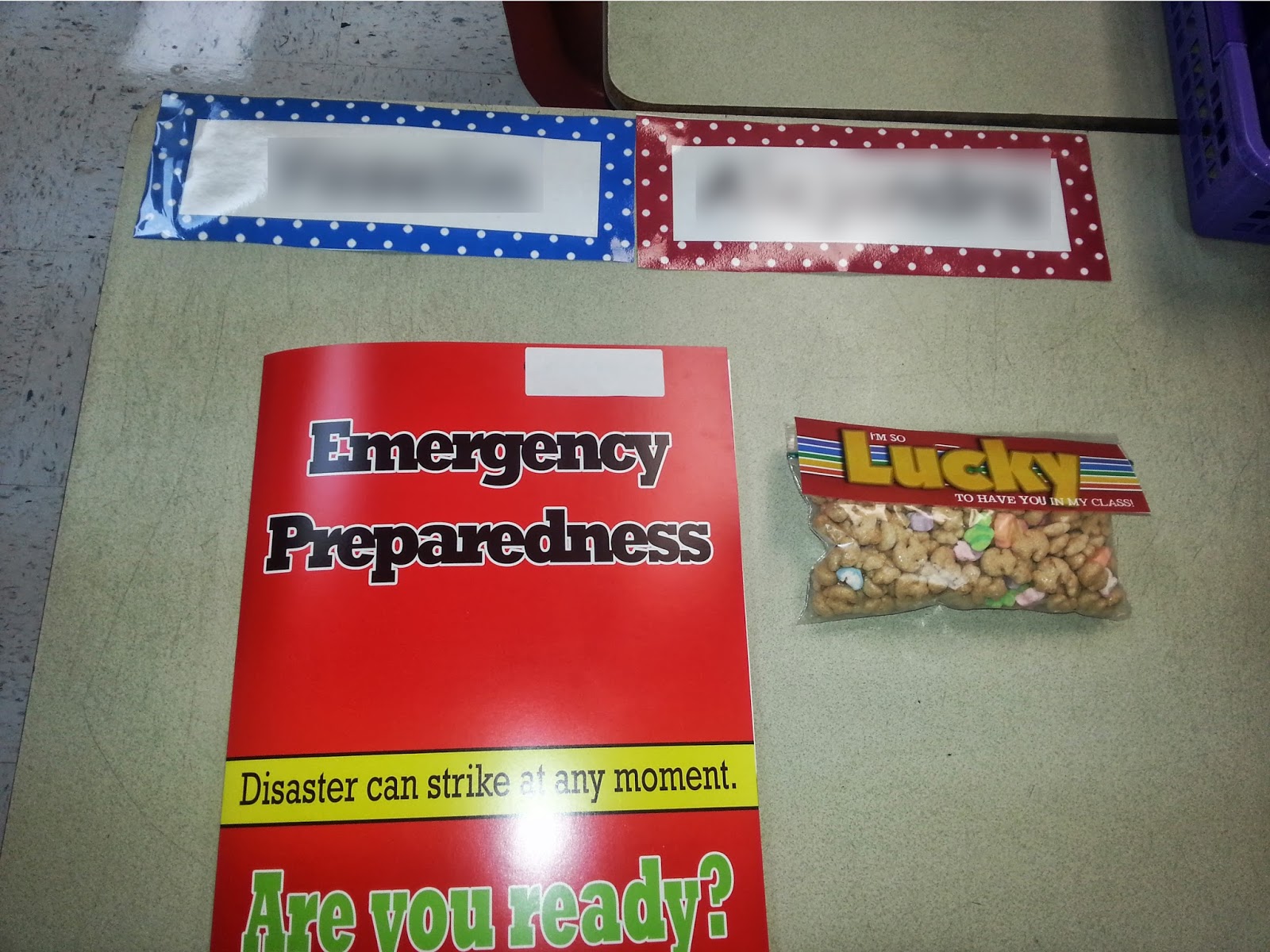
found their desk with their nametag on it.
Here they picked up their goodie bag and back-to-school forms. Thanks to Stephanie at 3rd GradeThoughts for the idea and the free label. The kids loved them and a few even brought
them back to school on the first day for their recess snack. Thanks to Andrea for
the cute polka dot nameplates I found on TPT.
Next stop, parent questionnaire...This was a quick questionnaire that a colleague shared with our school. It asked the parents to describe their child and this year's goals for their child.

After that, parents visited our wish list. Parents were able to choose from these extra supplies to help stock our classroom. I asked for things like tissues, plastic storage baggies in various sizes, hand sanitizer, sanitizing wipes, pencils, erasers, dry erase markers, plastic bandages, etc. Parents could just pull the treasure chest off the board and bring that item in on the first day of school. Unfortunately we're still very under-stocked. I liked that this gave parents a concise idea of the things we need. It also helps lessen the chances of having 87 boxes of gallon size baggies and no hand sanitizer! Thanks for the idea, Sara!

At the 4th stop parents were able to download our contact information. The QR code loaded our names, emails, and school phone number and website directly into the parent's phone. For those without a smartphone, we provided business cards with the same info (from VistaPrint). This idea came from Pinterest also, but the link provided says the blog no longer exists so I can't give credit where credit is due.

Next stop, parent questionnaire...This was a quick questionnaire that a colleague shared with our school. It asked the parents to describe their child and this year's goals for their child.
After that, parents visited our wish list. Parents were able to choose from these extra supplies to help stock our classroom. I asked for things like tissues, plastic storage baggies in various sizes, hand sanitizer, sanitizing wipes, pencils, erasers, dry erase markers, plastic bandages, etc. Parents could just pull the treasure chest off the board and bring that item in on the first day of school. Unfortunately we're still very under-stocked. I liked that this gave parents a concise idea of the things we need. It also helps lessen the chances of having 87 boxes of gallon size baggies and no hand sanitizer! Thanks for the idea, Sara!
At the 4th stop parents were able to download our contact information. The QR code loaded our names, emails, and school phone number and website directly into the parent's phone. For those without a smartphone, we provided business cards with the same info (from VistaPrint). This idea came from Pinterest also, but the link provided says the blog no longer exists so I can't give credit where credit is due.
5th and finally, the parents and kiddos were able
to grab another goodie. The water bottle
idea came from a pin that linked only to the image, so once again no credit can
be given. But the label was a free
download that I tweaked in Paint. Thanks, Erin!

A close up of the water bottle label...

All in all, I’d say Open House was a success. How was your Back To School night?

.JPG)
.JPG)
.JPG)
.JPG)